Posts

Showing posts with the label walkthrough

DC-2 Walkthrough

Image
I already got root on DC-1 machine  like 1 month ago, it was a nice box but I didn't had enough time to write about it so I thought of doing DC-2 machine by same author and write about it too :D . Though DC-2 is not available on vulnhub yet but you can download it from here . This machine has 5 flags in total and below is my walkthrough on how I found them :) As usual, I started the box by doing a quick nmap scan and it revealed port 80 only. Only port 80 open? This sounded fishy to me so I hit up arrow key, added -p option to previous command for full tcp port scan and now we can see port 7744 is also open. Since this port is used for SSH and no creds were provided, I went for HTTP service on port 80. On directly opening the ip address of the machine, I got redirected to dc-2/ so I quickly added an entry to /etc/hosts file with machine's ip address and its corresponding hostname. On opening dc-2/ on browser, an wordpress site was found. Welcome, what we ...

[Vulnhub] - W34kn3ss Walkthrough

Image
So it's been a long time since I published any walkthroughs and also vulnhub started publishing new machines from yesterday so I thought why not solve and write about them. The first machine I did is this one -  W34kn3ss  and below is my walkthrough for the same. The target machine's IP address is 192.168.0.122 so I did a quick nmap scan on it. In the above screenshot we can see some open ports like 22, 80 and 443. Nmap's default script scan on port 443 also revealed a domain name "weakness.jth" so I added this domain name on my /etc/hosts and checked the web service running on that domain.  Nothing really interesting here except that ASCII art of a rabbit and text "n30". Maybe n30 is an username which maybe used later? So, I saved it in my notes and started bruting files/dirs with dirsearch. Dirsearch revealed this interesting directory /private so I visited this dir on browser and found two files; mykey.pub and notes.txt. ...

[VulnHub] - Jarbas: 1 Walkthrough

Image
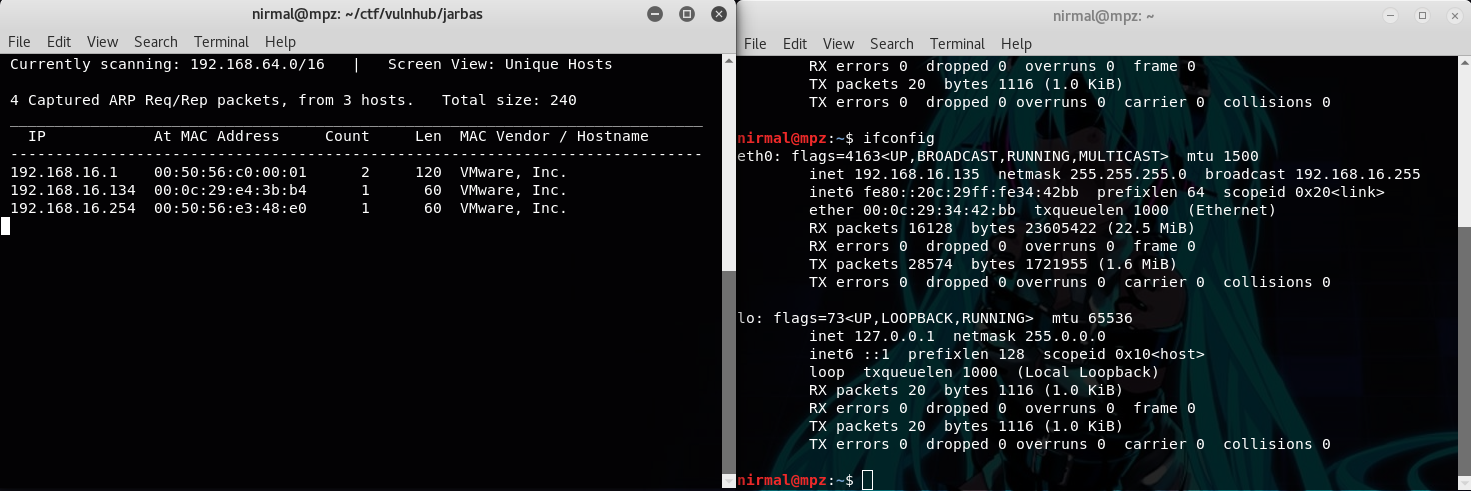
~ Spoiler Alert ~ Recently I did  Jarbas  from Vulnhub and below is my walkthrough for this machine. Firstly, to obtain the IP address of the target machine, I used netdiscover. My kali machine booted later than the target machine, so obviously Jarbas machine's IP is 192.168.16.134 A quick port scan on the IP address revealed some open ports like 22 (SSH), 80 & 8080 (HTTP), 3306 (mysql). No SSH creds were initially provided and mysql also didn't allow to access remotely so I skipped port 22 and 3306 and moved towards the port 80. Homepage for port 80 looks something like below. In the machine's description, the author has mentioned that this machine (Jarbas) is a tribute to a Brazilian Search engine of the 90's. The homepage of the machine also displays a static page copied from wayback machine of the same search engine jarbas.com.br. Since it's a static page directly copied from wayback machine, there's nothing interesting so I moved to port 80...

[VulnHub] - billu: b0x 2 Walkthrough

Image
~ SPOILER ALERT ~ Below is my walkthrough for the vulnhub machine  billu: b0x 2  by  Manish Kishan Tanwar  bhaiji. I already did this box a week ago but for the sake of this blog, I did it again so forgive my mistakes if you spot any. So, let's get started with our traditional boot2root box solving strategy by kicking off nmap to scan for open ports and services. Scanning the machine's IP, we can notice few ports are open like 22 (SSH), 80 (HTTP), 111(RPCBIND) and so on. As author already said we can get low priv shell with two methods, I decided to go with port 80. If we simply visit the machine's address, we can see a drupal instance running. Drupal 8? Few months ago, remote code exec vulnerability was discovered on Drupal CMS including version 8.x so without thinking twice, I tried the same RCE exploit  and it worked! While obtaining reverse shell, nc from the netcat openbsd-package failed (old version of nc?) but ncat did the job and we got...